
Same-screen playback means multiple devices play exactly the same program at the same time.
It is suitable when you want a group of TVs or screens to show the same content together in a more unified way.
If what you want is not "the same full program on every screen" but "several screens forming one combined large image," then you need Multi-Screen instead.
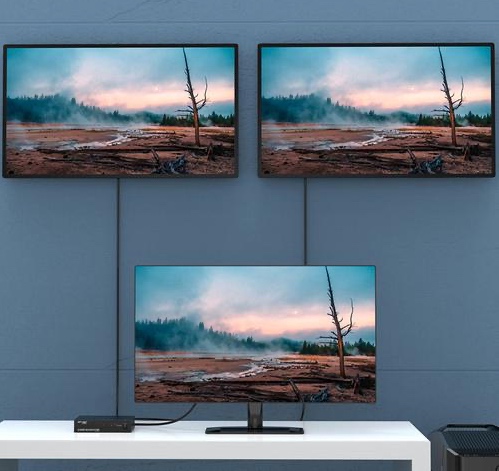
Before you begin, make sure:
- All of the devices are already bound
- All of the devices can already receive programs normally
- You already have a program ready to publish
- If there are many devices, it is better to organize them into a device group first
Step 1: Prepare the Program
Same-screen playback does not require any special program production method. Just create a normal program.
Step 2: Choose the Devices That Should Play Together
When publishing the program, select the device group or devices that should play together, then click Publish.
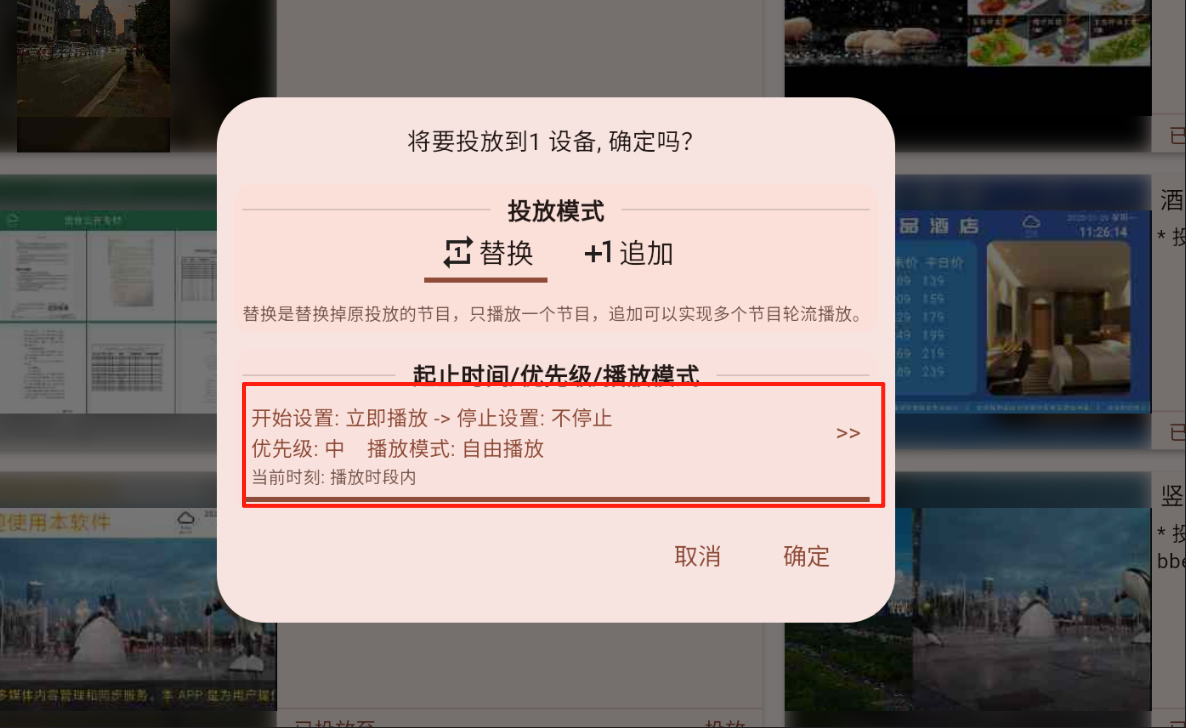
Step 3: Open More Parameters and Choose "Synchronized Playback"
In the publish dialog, click More Parameters to open the "Start/End Time / Priority / Playback Mode" settings.
In Playback Mode, select "Synchronized Playback" and confirm.
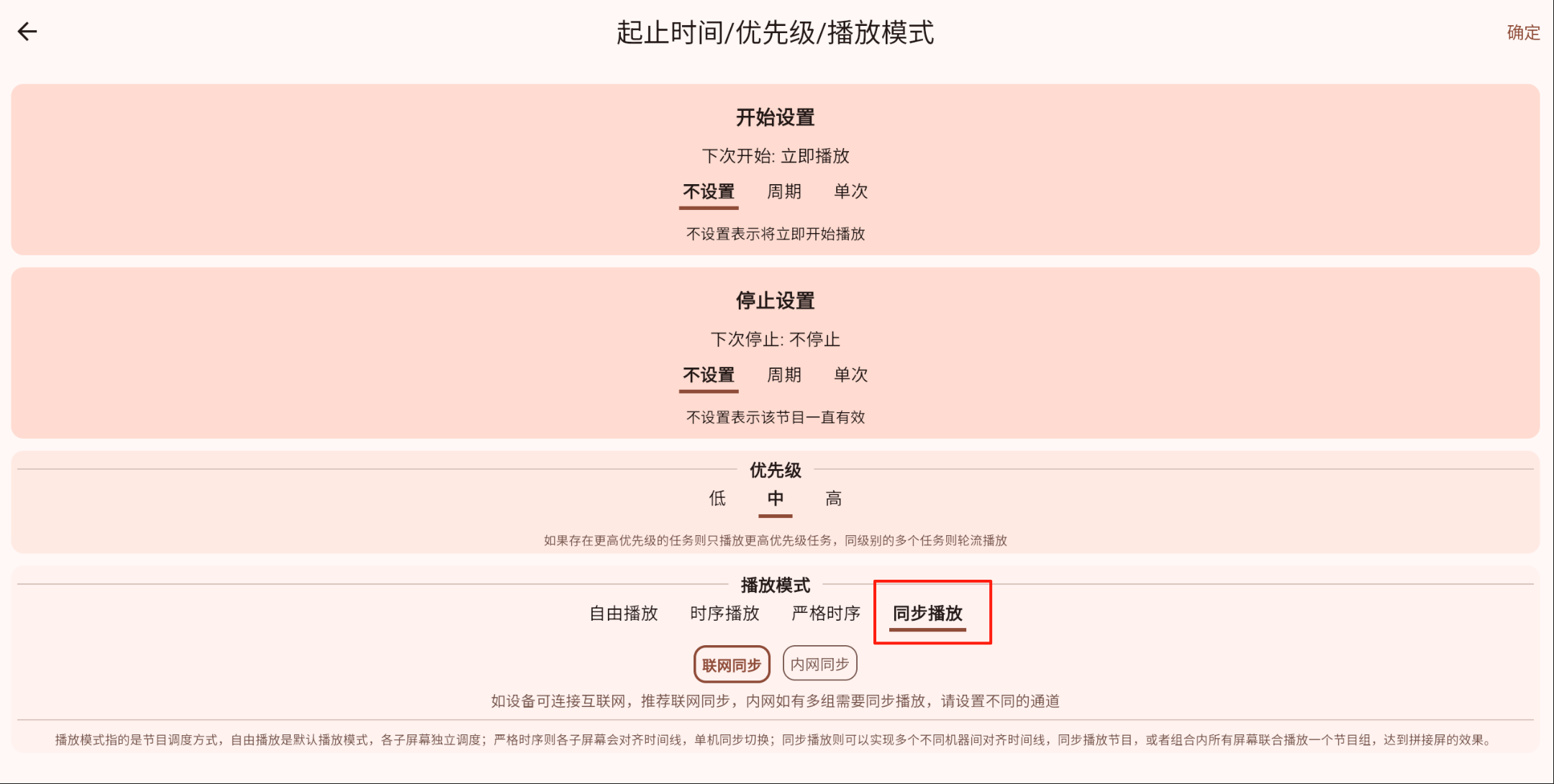
What Counts as Success
If the selected devices all begin playing the same program and their playback timing is basically aligned, same-screen playback is working successfully.