
PDF Material
PDF material plays PDF files inside a program. It is suitable for menu booklets, brochures, manuals, price lists, training material, and other multi-page documents.
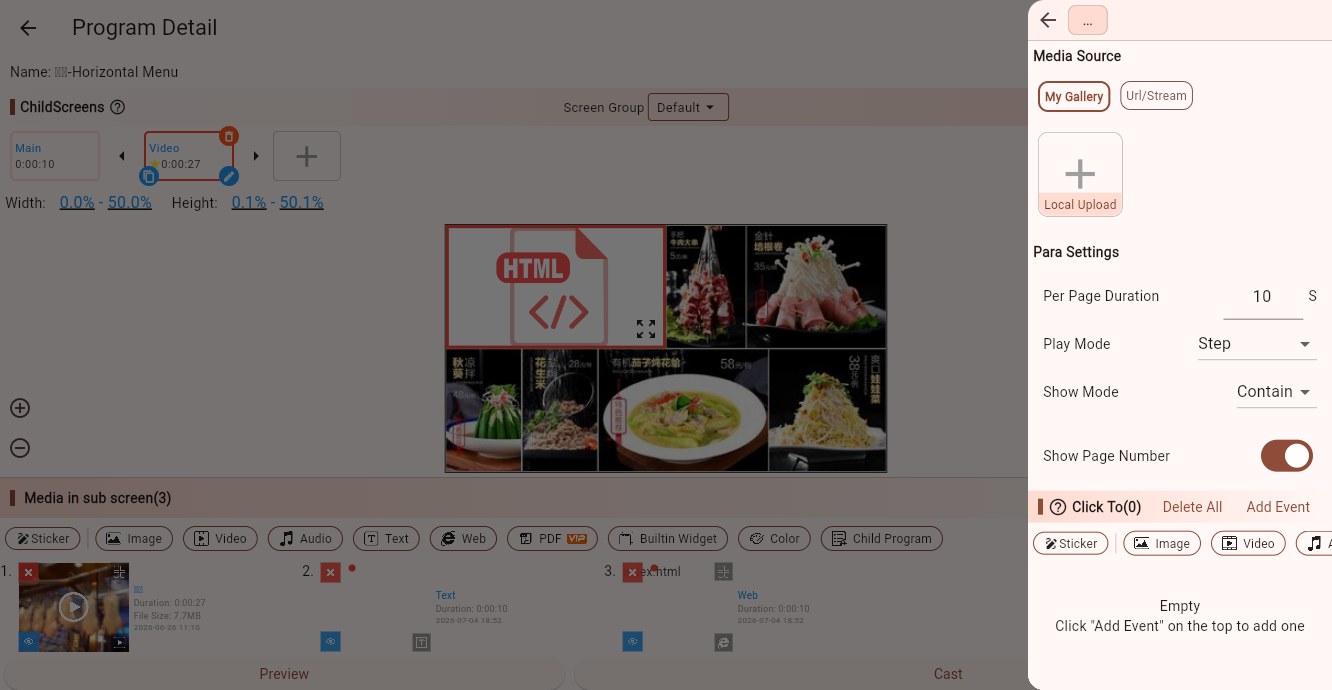
Media Sources
PDF material supports:
- My Gallery: select an uploaded PDF, or upload a new local PDF.
- Network/Streaming: enter a PDF URL. The Player end loads it from the network.
For large PDF files, uploading them to the gallery and letting devices download them is usually more stable.
Parameters
Per Page Duration
Controls how long each PDF page stays on screen. For example, if it is set to 10 seconds, a 6-page PDF takes about 60 seconds to play once.
If the page count is detected, the interface may show the page count and estimated total playback duration.
Play Mode
Controls how the PDF is played:
- Step: shows pages one by one. Good for menu booklets, manuals, and brochures.
- Step Scroll: scrolls by screen/page. Useful for long pages or continuous reading.
- Fixed: shows one specified page. Useful when only one page of a PDF is needed.
Display Mode
When play mode is Step or Fixed, the PDF page can fit the child screen in different ways:
- Contain: shows the full page. Blank space may appear.
- Cover: fills the child screen. Page edges may be cropped.
- Fill: stretches the page. It may distort the content.
Page Number
When play mode is Fixed, set the page number to display. Page numbers usually start from 1.
Show Page Number
Shows the current page number during playback. This is useful for manuals and training material. It can be disabled for pure advertising playback.
Tips
If the PDF contains many small words, make the child screen large enough, or export PDF pages as images and play them as image material.
For long PDFs, do not set the per-page duration too short, or viewers will not have enough time to read.
If only one page is needed, use Fixed mode or export that page as an image.
Click Events
PDF material supports click events. Use them for touch-screen reading, showrooms, and product manual browsing. Automatic document playback usually does not need click events.