
If the media has already been copied into a folder on the device itself and you only want the device to read that folder and play it directly, start with this method.
Before you begin, make sure:
- The Player app is already installed
- The media you want to play is already stored in a local folder on the device
- You do not need remote publishing and only want the device to keep playing local content from that folder
If the media is still on a USB drive, or has not yet been copied to the device, copy it to local storage first. If you only want to plug in a USB drive and play it directly, USB Disk Play is usually the better fit.
Step 1. Install the Player on a TV, set-top box, or signage device
Choose the installation package that matches your device's hardware and operating system.
Make sure the Player app is already installed. If not, obtain the correct installation package from your current download or distribution channel.
After the setup completes, launch the app and you should see the screen below. 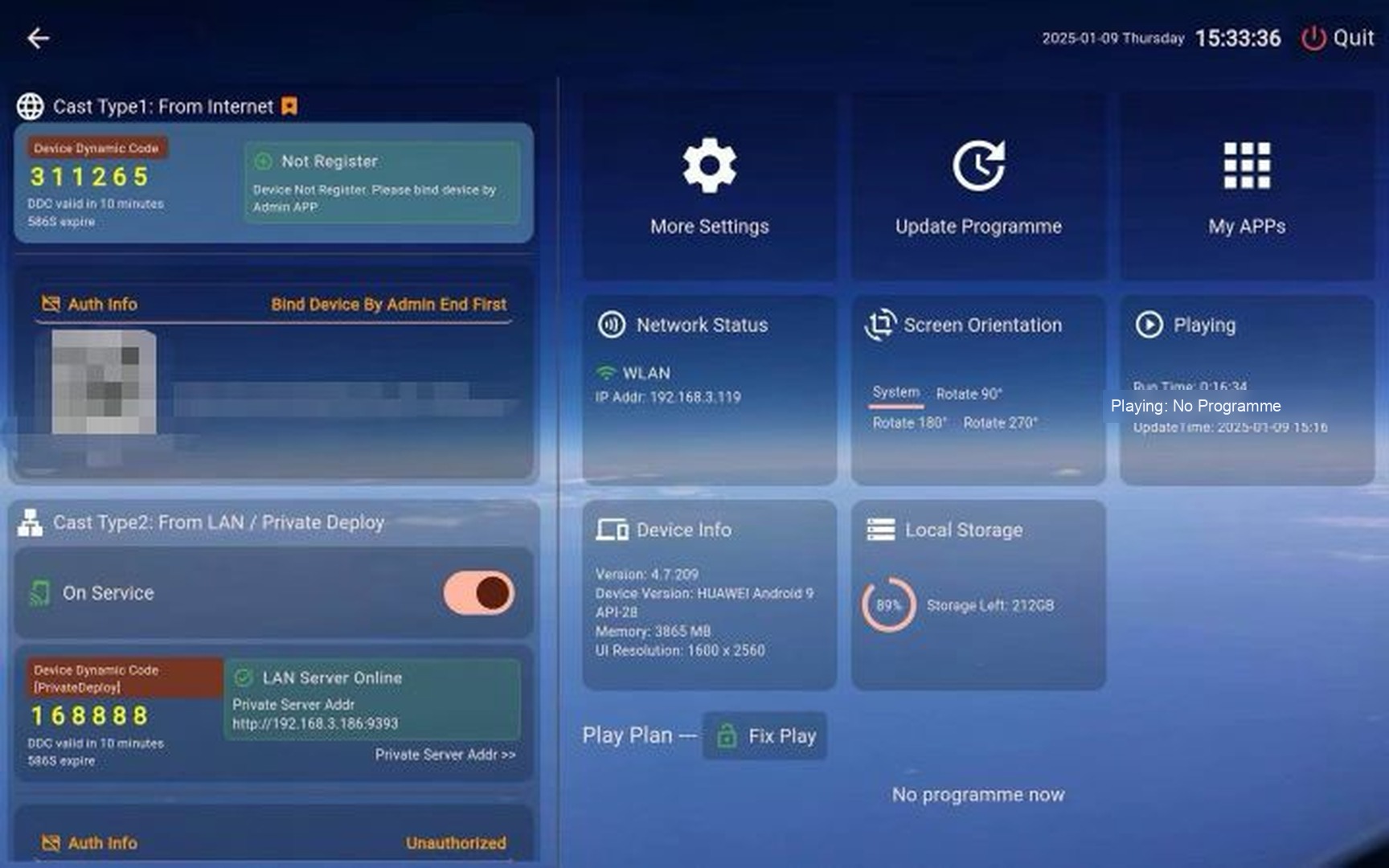
Step 2. Choose the Local Folder to Play
Open the Select Folder menu. 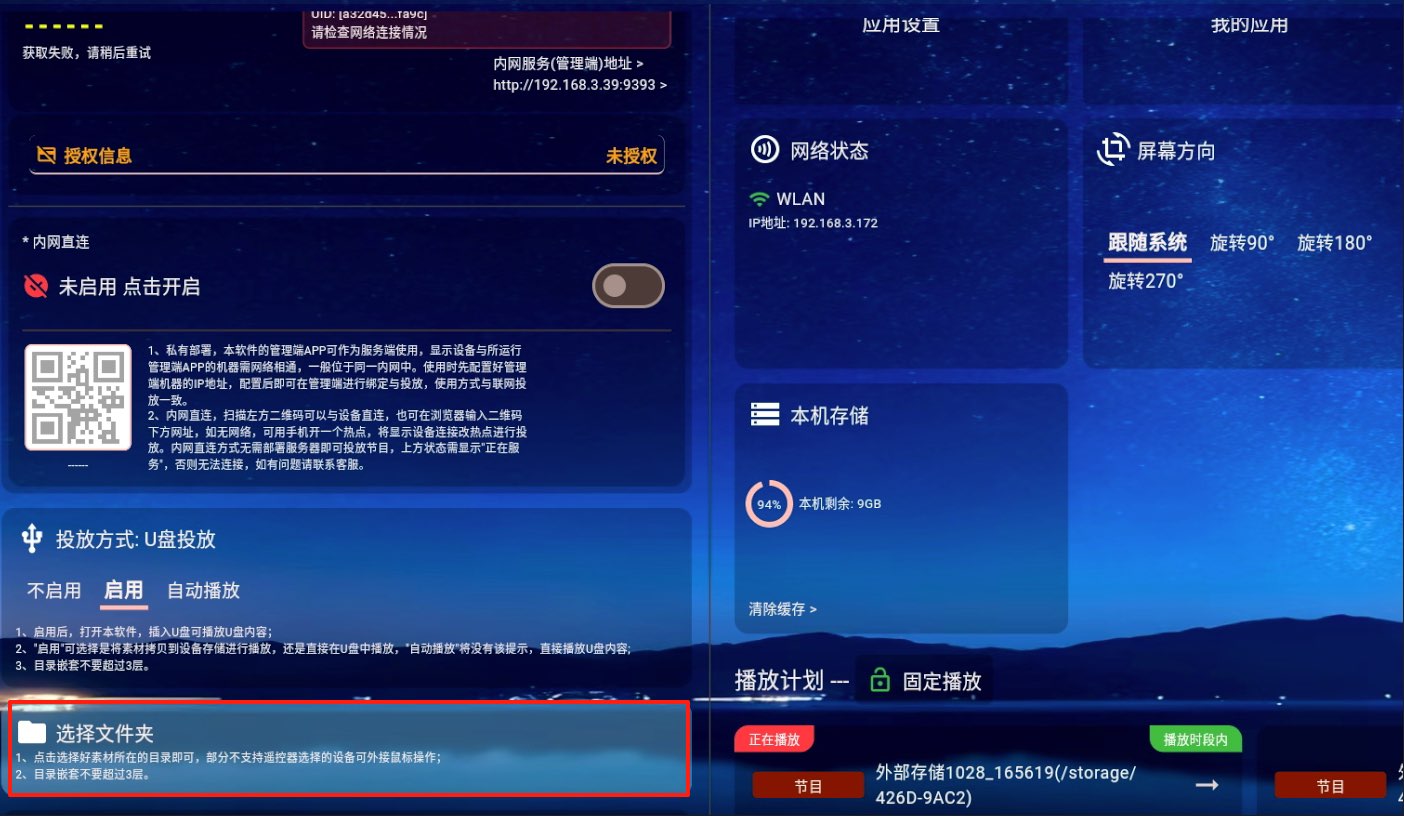
Browse the local storage on the device and pick the folder that contains the media you want to play. 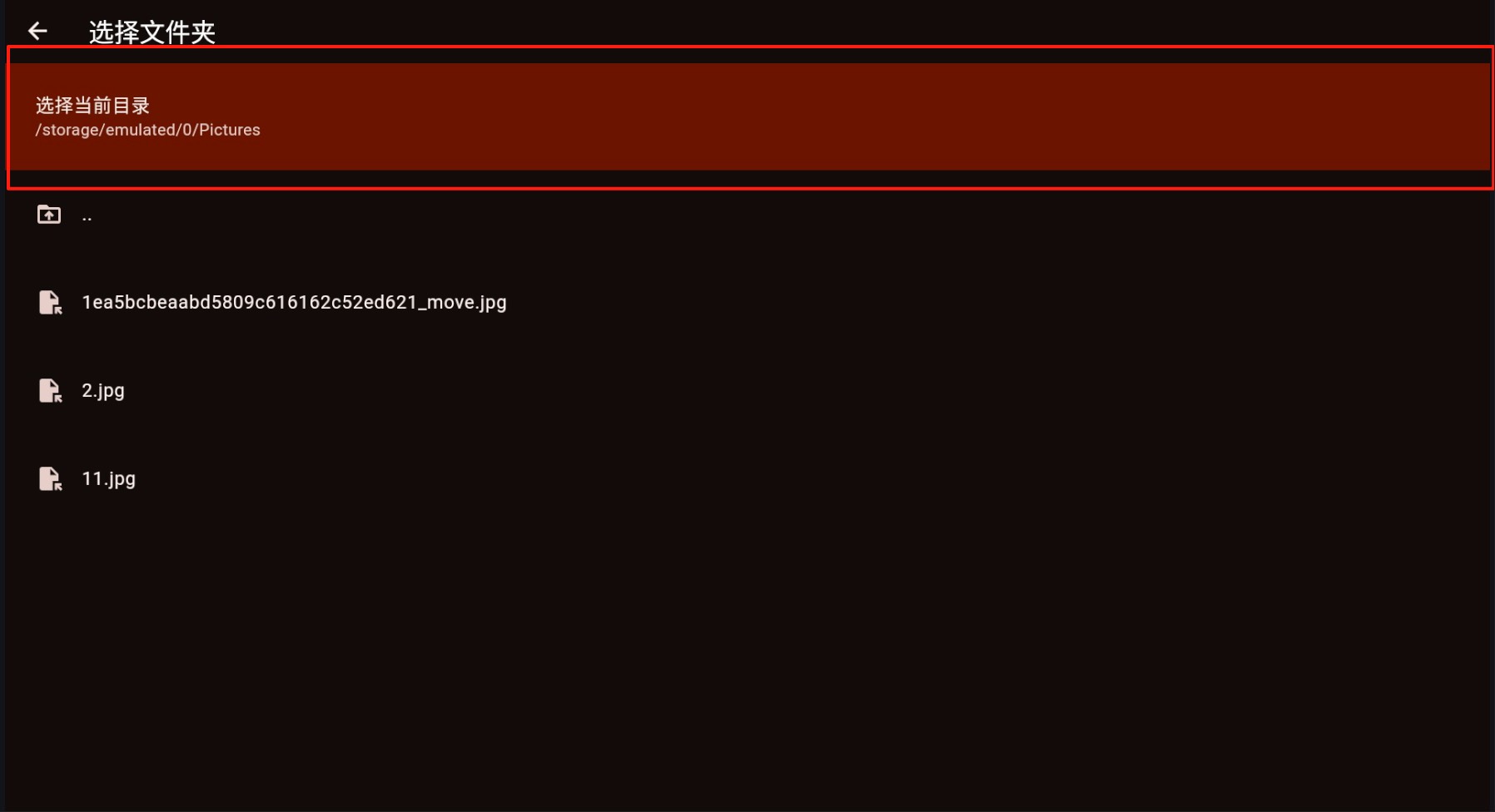
After confirmation, a playlist entry is created for that folder. Delete the entry later if you no longer need it.
If the content fails to load, verify the Player has storage permissions.
Monitor the playlist and remove any items that are not playing as expected. 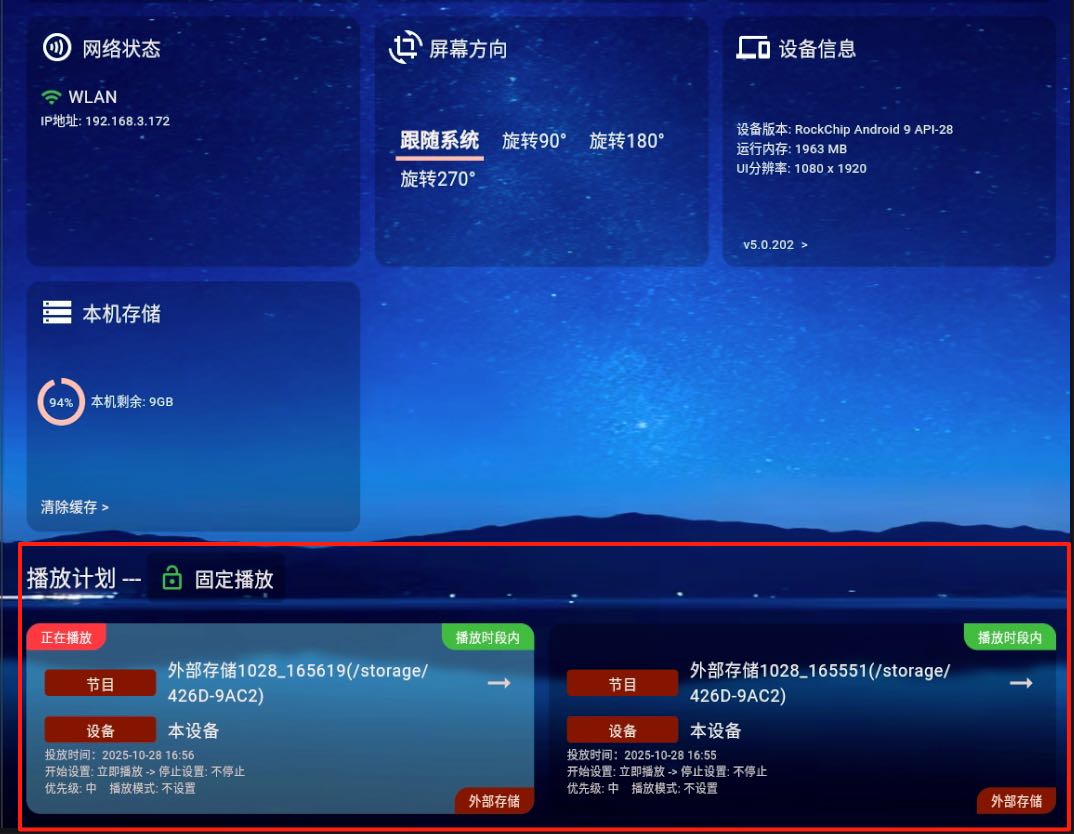
If the playlist already shows an entry for that folder and the device starts playing the media inside it, Select Folder Play is working successfully.