
If you want to design the layout yourself from a blank page instead of starting from a ready-made template, this is the right method.
Before you start, think about these two things first:
- Will this program be horizontal or vertical?
- Do you already need multiple areas showing different content at the same time?
Step 1: Open Add New Program
Open the Admin End, switch to the program main page, and click the "Add New Program" button in the lower-right corner.
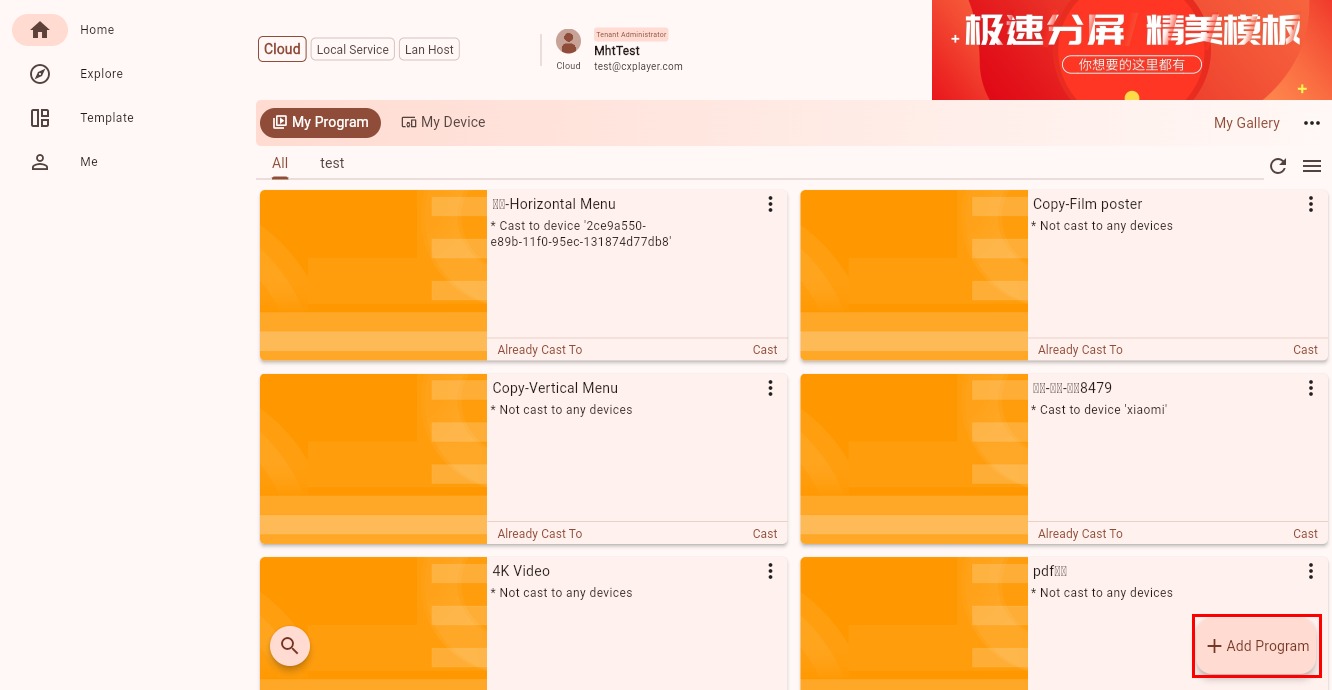
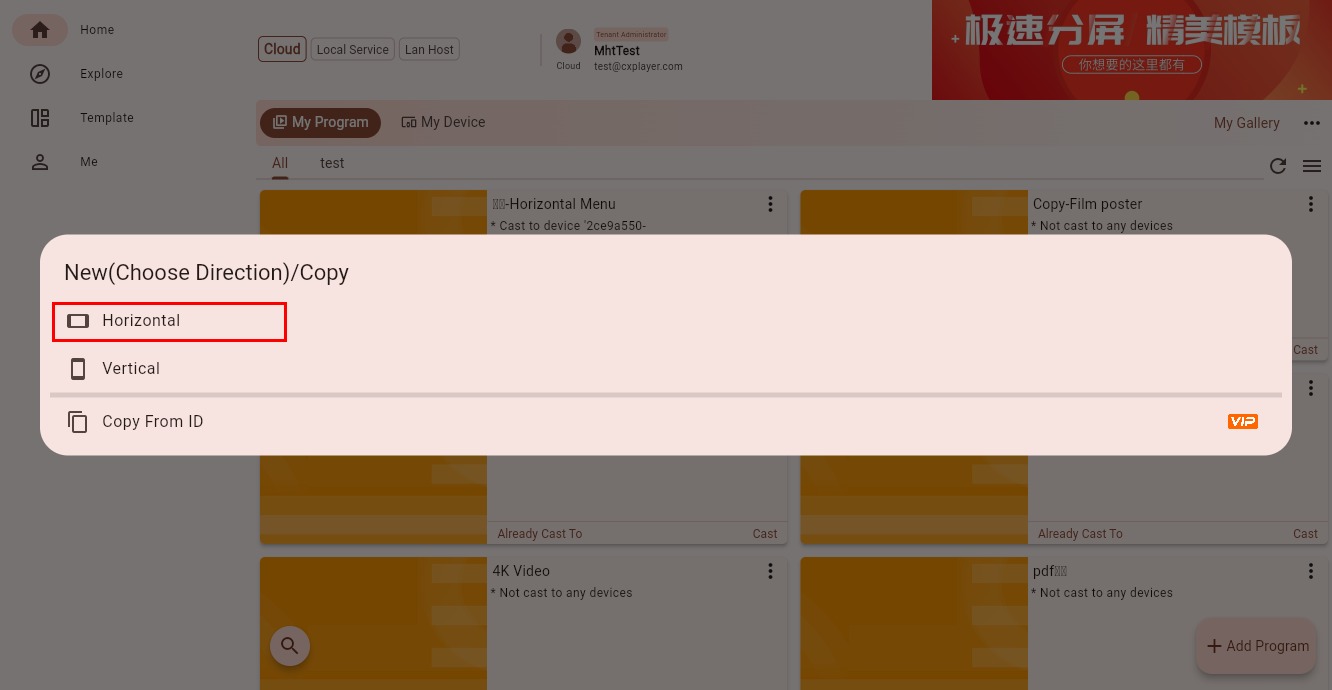
Step 2: Choose Horizontal or Vertical
Choose whether the program should be horizontal or vertical based on how the device is installed and what you want the program to do.
Step 3: Choose a Split-Screen Mode
This software supports split-screen layouts natively, so you can decide the layout style when creating the program.
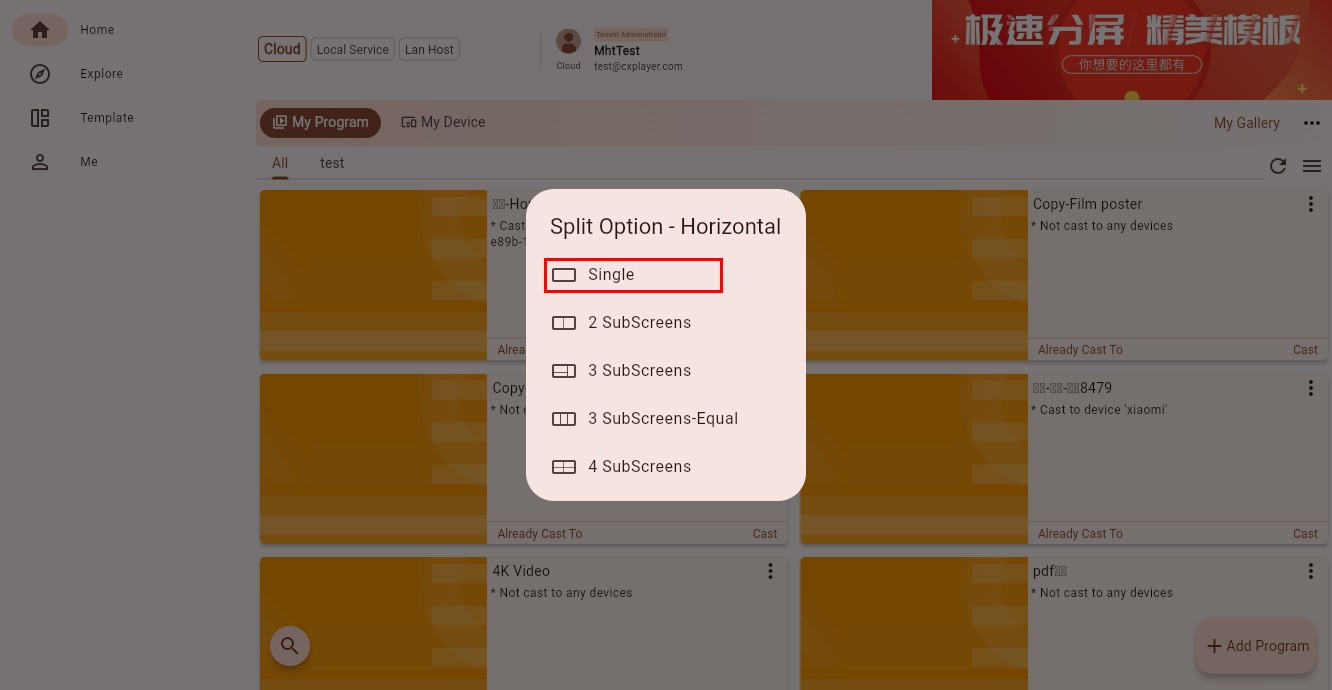
If you do not want split screens yet, or if you prefer to drag and customize the layout later, simply choose "Single Screen."
You can think of it like this:
- Single Screen: start with the simplest full-page layout and add areas later if needed
- Multi-screen template: start faster with a predefined layout
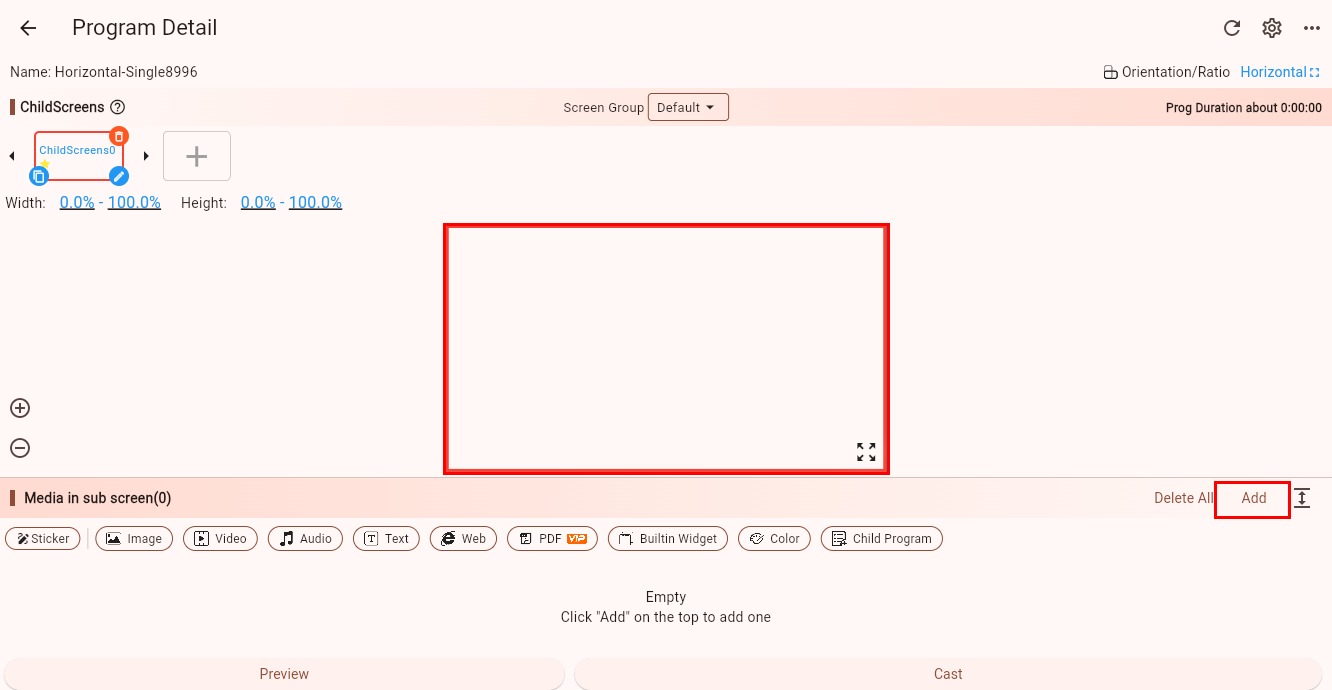
Step 4: Finish Creating the Program
At this point, a program with one sub-screen has been created.
What to Do Next
If you can already see the new program editing interface, the program has been created successfully.
Next, you can:
- Read How to Edit a Program first to understand how to continue after creation
- Continue adding more sub-screens
- Or directly add materials into this sub-screen