
How to Bind a Device
Binding a device adds the Player end to the current admin account. After binding, you can check the device status, cast programmes, organize devices into groups, and authorize the device from the admin end.
Before you start, make sure:
- The Player app is installed and open
- The Player end can access the internet
- You have logged in to the admin account that should manage this device
Step 1: Find the Device Dynamic Code on the Player End
Open the Player main screen and find the device dynamic code in the "Cast Type1: From Internet" area. The code is only valid for a short time. If the admin end reports that the code is invalid, use the latest code currently shown on the Player end.
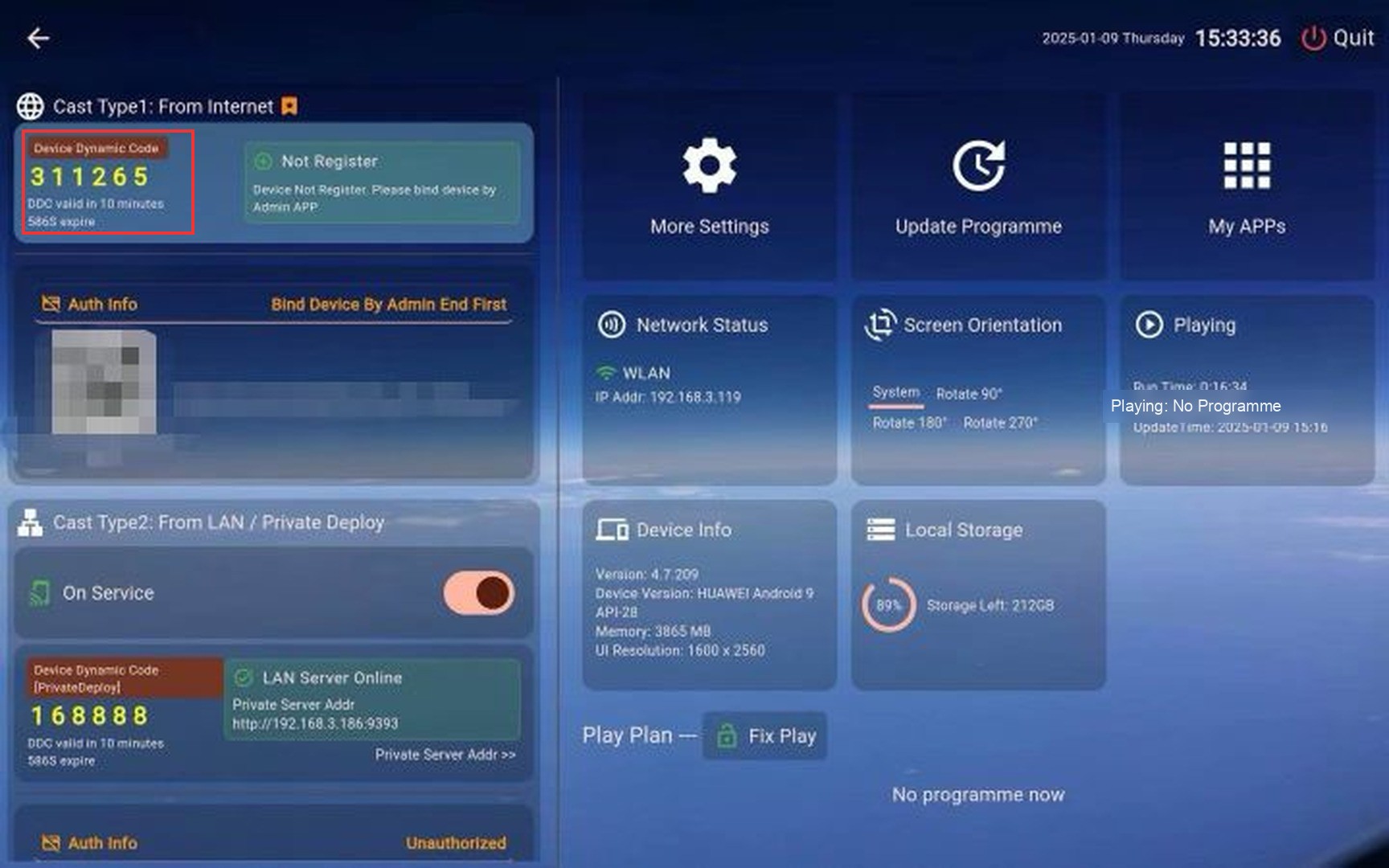 Device dynamic code on the Player end
Step 2: Open the Device Page in the Admin End
Open the admin end and go to the "My Device" page. You can also enter the same device list from the device management entry.
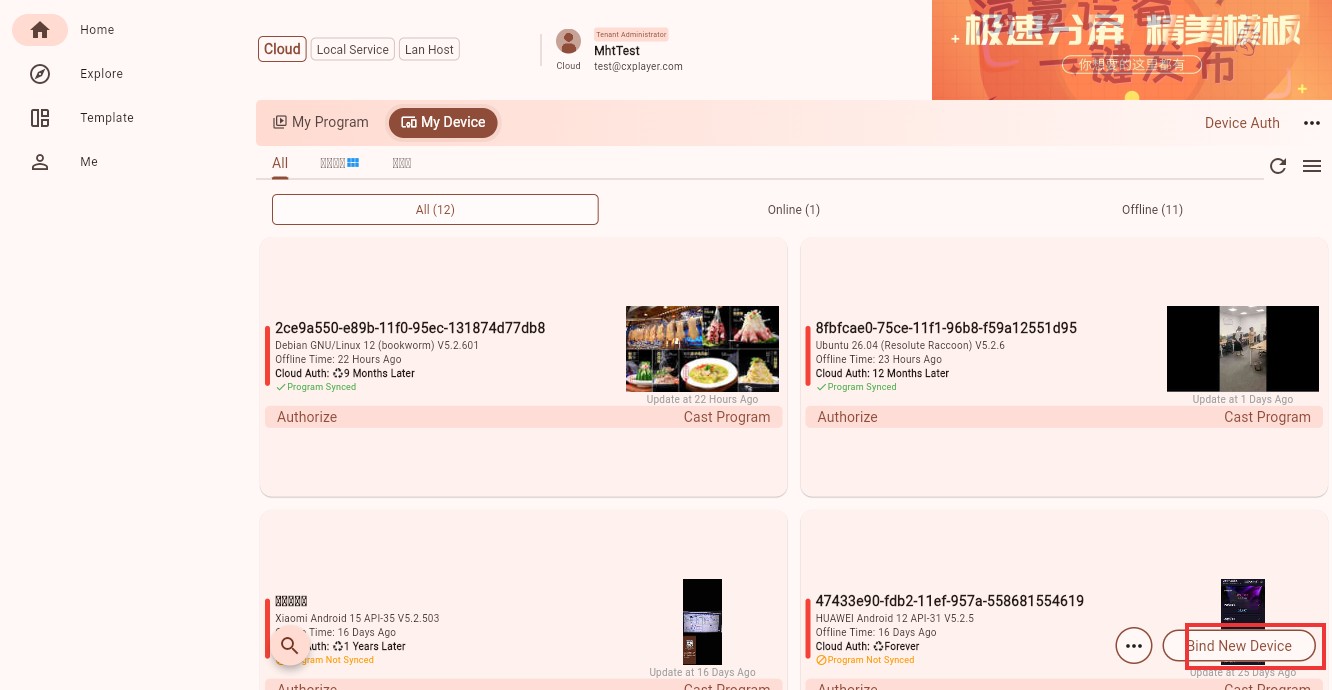 Device list and binding entry
Step 3: Enter the Device Dynamic Code
Click "Bind New Device", enter the 6-digit code shown on the Player end into the "Device Dynamic Code" field, and then click "Sure".
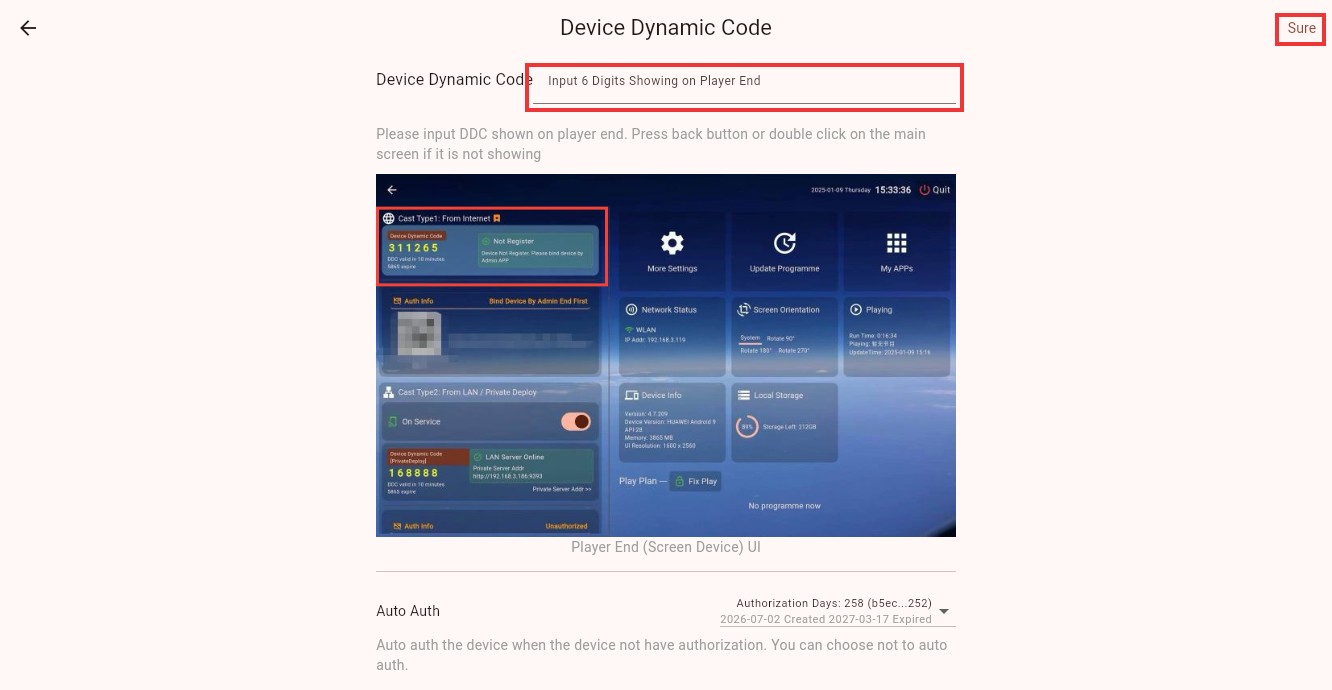 Enter the device dynamic code
Step 4: Confirm the Binding Result
After the binding is complete, the device appears in the device list. You can then cast programmes to it, assign it to groups, authorize it, or adjust remote settings.
If the device is not authorized yet, continue with Authorize a Device.
FAQ
I cannot find the device dynamic code
Return to the Player main screen and check the "Cast Type1: From Internet" area. If the code still does not appear, check whether the Player end is connected to the internet.
The admin end says the dynamic code is invalid
The dynamic code can expire. Check the latest code on the Player end and enter it again.
The device does not appear after binding
Refresh the device list, and make sure the admin end is logged in with the same account that performed the binding.
The device is already bound to another account
Unbind the device from the original account first, or contact an administrator for help.