
What Can This Software Do?
If you want to turn a TV, tablet, signage device, set-top box, or even a computer screen into a display for menus, promotions, notices, wayfinding, or branded content that can be updated continuously and used for the long term, this software is built for that kind of scenario.
You can publish images, videos, web pages, PDFs, text, and more. It supports split-screen layouts, scheduled playback, and multi-device synchronization. Whether you only have one screen or need to manage dozens or hundreds of devices, there is a delivery method that fits.
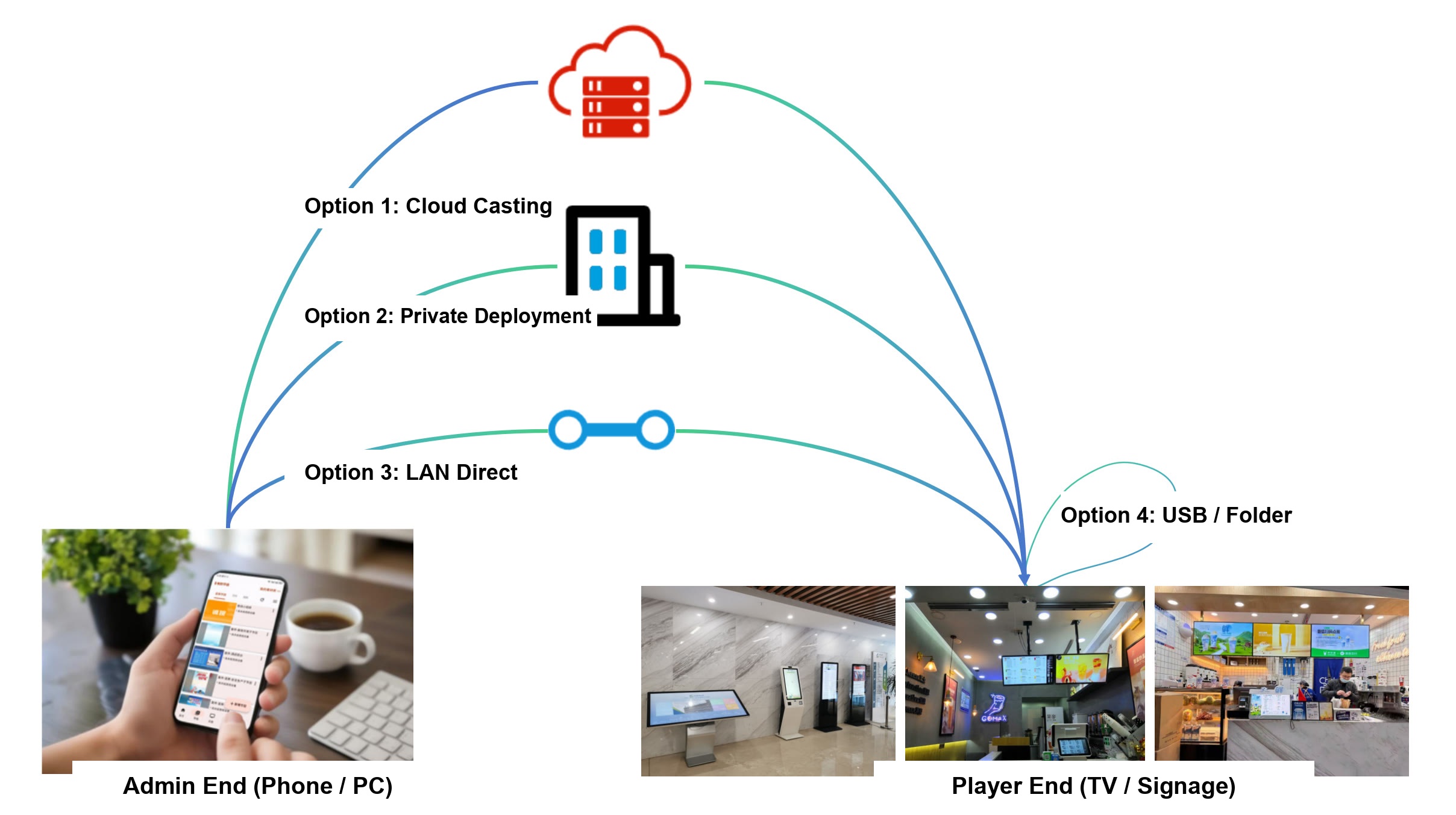
If this is your first time using a system like this, you do not need to worry about a steep learning curve. After registration, you can start by trying one device. If your devices can access the Internet, Cloud Casting is usually the easiest starting point. If they cannot access the public Internet, you can still use local options, USB Disk Play, or Select Folder Play. This is also what makes this software different from software that depends only on one cloud service: it is not just easy to start with now, but also better suited for long-term use.
Who is it for
You will probably fall into one of these common scenarios:
- Restaurants, cafes, and convenience stores: digital menus, promotions, and product recommendations
- Supermarkets and chain stores: unified content updates across multiple locations
- Company lobbies, showrooms, and meeting rooms: company introductions, welcome pages, and notices
- Schools, communities, hospitals, government, and enterprise environments: announcements, guidance, and public information
- Live rooms, inquiry kiosks, and large-screen display scenarios: background visuals, interactive content, and information screens
What problems does it solve
Most normal users do not care first about system architecture. They care about what this software helps them do more easily. This software mainly helps with these problems:
- Reuse existing TVs, tablets, and PCs as information display screens
- Manage images, videos, web pages, PDFs, and text within one system
- Split one screen into multiple areas to show different content at the same time
- Update content once and sync it to one or many devices
- Schedule different programs to play at different times automatically
- Use either cloud-based centralized management or local/offline methods such as LAN, USB, and local folders
Why we call it a sustainable information publishing solution
When customers choose software in this category, they usually care about more than just "Can it work today?"
They also care about a more practical question:
What happens if the cloud service changes later? What happens if the vendor stops operating? Will the devices still be usable?
This concern is very common in the industry. Many buyers are cautious about solutions that depend too heavily on a single online service, because they worry that the usable life of their system may be affected later.
This software emphasizes "sustainable" because it does not offer only one cloud-only usage path. It also supports:
- Cloud Casting: the easiest option when devices can access the Internet
- Local Casting - Private Deployment: can be deployed in the customer's own internal network
- Local Casting - LAN Direct: devices can be managed directly inside the LAN
- USB Disk Play: works without network dependency
- Select Folder Play: can read content directly from a local device folder
That means:
- You can start with the most convenient cloud-based workflow
- If your scenario later changes to LAN-only, offline, or more confidential environments, local options are still available
- It is not just a short-cycle tool that works only through one cloud entry point
- In many scenarios, it can continue to be used as local, maintainable software for the long term
For many customers, this matters because they are not only buying something that can play content today. They are choosing an information publishing solution that can stay useful throughout the life of their devices.
Supported devices and management options
- The Player supports Android TVs, Android tablets, signage devices, set-top boxes, Windows PCs, Mac computers, Linux computers, and more
- The Admin End supports web browsers, Android clients, Windows clients, Mac clients, and Linux clients
- You can use cloud-based remote management, LAN-based local management, private deployment, USB playback, or local-folder playback depending on your scenario
Three things to remember for your first use
1. You do not need to understand every term at the beginning
Many first-time users feel confused when they first see terms like Cloud Casting, Private Deployment, and LAN Direct. That is normal. You do not need to fully study every concept before getting started. You only need to choose the method that matches your situation.
2. Most users should start with Cloud Casting
If your devices can access the Internet and you want remote updates, centralized management, and an easier workflow as the number of devices grows, Cloud Casting is usually the best starting point.
3. You can still use it even without public Internet access
If your devices cannot access the Internet, or your content cannot be stored on external servers, local options are still available:
- Only one or a few devices: start with Local Casting - LAN Direct
- No public Internet, but centralized management for multiple devices: start with Local Casting - Private Deployment
- You only want the simplest way to play local content: use USB Disk Play or Select Folder Play
Not sure which delivery method to choose?
You can use this quick guide:
| Your situation | Recommended method |
|---|---|
| Devices can access the Internet and you want centralized remote management | Cloud Casting |
| One or a few devices on the same LAN and you want to get started quickly | Local Casting - LAN Direct |
| No public Internet, but you need centralized management for multiple devices | Local Casting - Private Deployment |
| You do not want to use the Admin End and only want to plug in a USB drive and play | USB Disk Play |
| Your media is already stored in a local device folder | Select Folder Play |
If you want to compare these methods first and then choose one, start with Casting Methods Overview.
Why many users keep using it long term
This software is not just for playing a few images or videos once. It is more suitable as a system you can keep using over time:
- Content is not something you copy once and forget. It can be updated and maintained continuously
- It works for both small and large deployments, so you do not have to replace your setup after a short time
- It supports multiple media types and multiple delivery methods, so a new scenario does not require a new system
- It can continue to work in cloud, local, LAN, and offline scenarios
- You can grow from one store and one screen to many stores and many devices over time
AI Agent Assisted Management
This software now includes a built-in MCP Server, allowing you to use AI agents such as Claude Code and Codex to assist with daily operations.
In the past, checking a device's status, viewing a program's details, or listing available activation codes meant navigating through menus and pages in the management console. Now you can simply ask your agent:
- "List the current programs on this device"
- "Is the store #3 device online?"
- "Which devices is this program deployed to?"
The agent uses your own login token and can only see content you have permission to access — it will never exceed your authority.
How to configure
See the full configuration guide at MCP Server. It supports major agents such as Claude Code and Codex, with both HTTP and stdio connection methods available.
Common application scenarios
These are some of the easiest scenarios for ordinary users to understand and start with:
Digital Menu Boards
Suitable for restaurants, cafes, convenience stores, and similar businesses. Prices, featured products, and promotional posters can be displayed directly on TVs or signage devices and updated when needed. 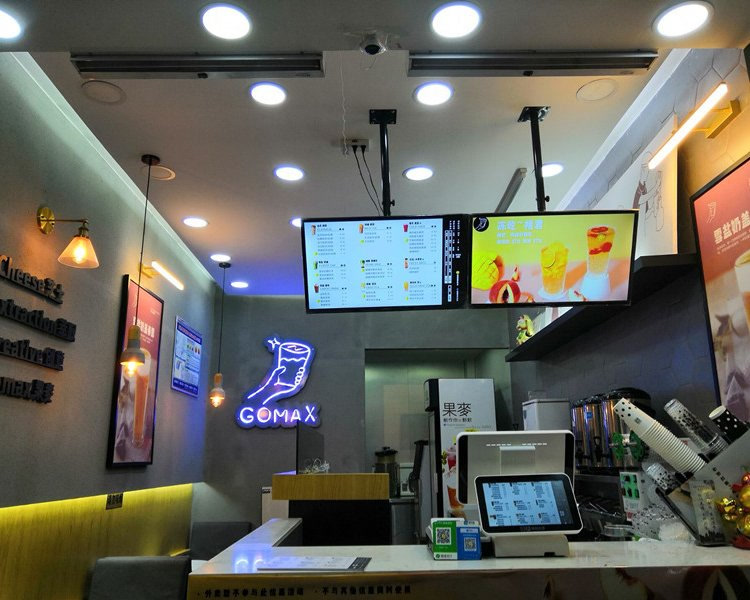
Lobby and Showroom Displays
Suitable for company lobbies, showrooms, and reception areas. You can present company introductions, brand visuals, welcome pages, and promotional videos in a more professional way. 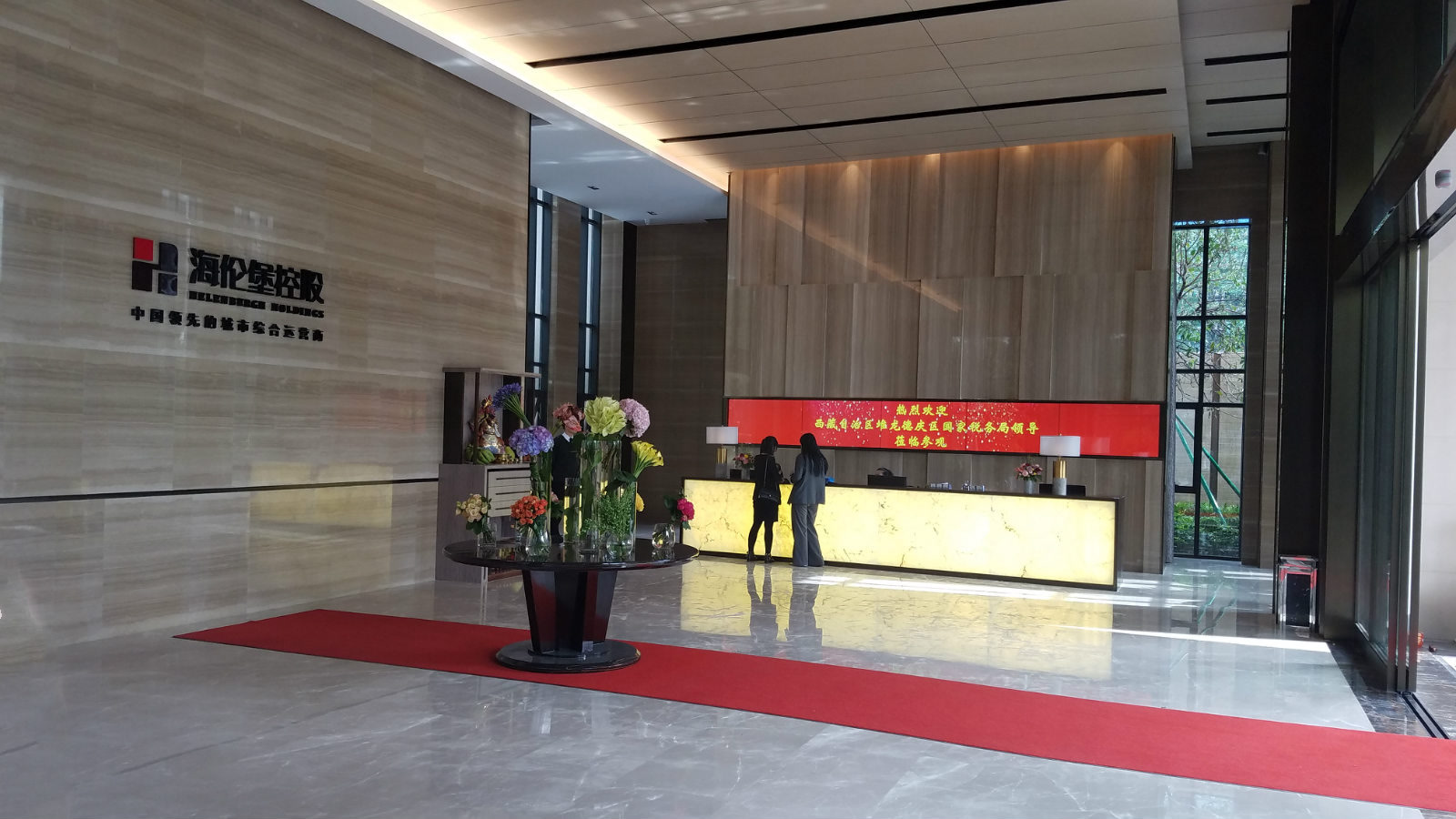
Interactive Inquiry Kiosks
Suitable for hospitals, stations, government service halls, shopping malls, and guidance scenarios. Besides normal display playback, it can also be used with interactive programs for search, navigation, and explanation pages. 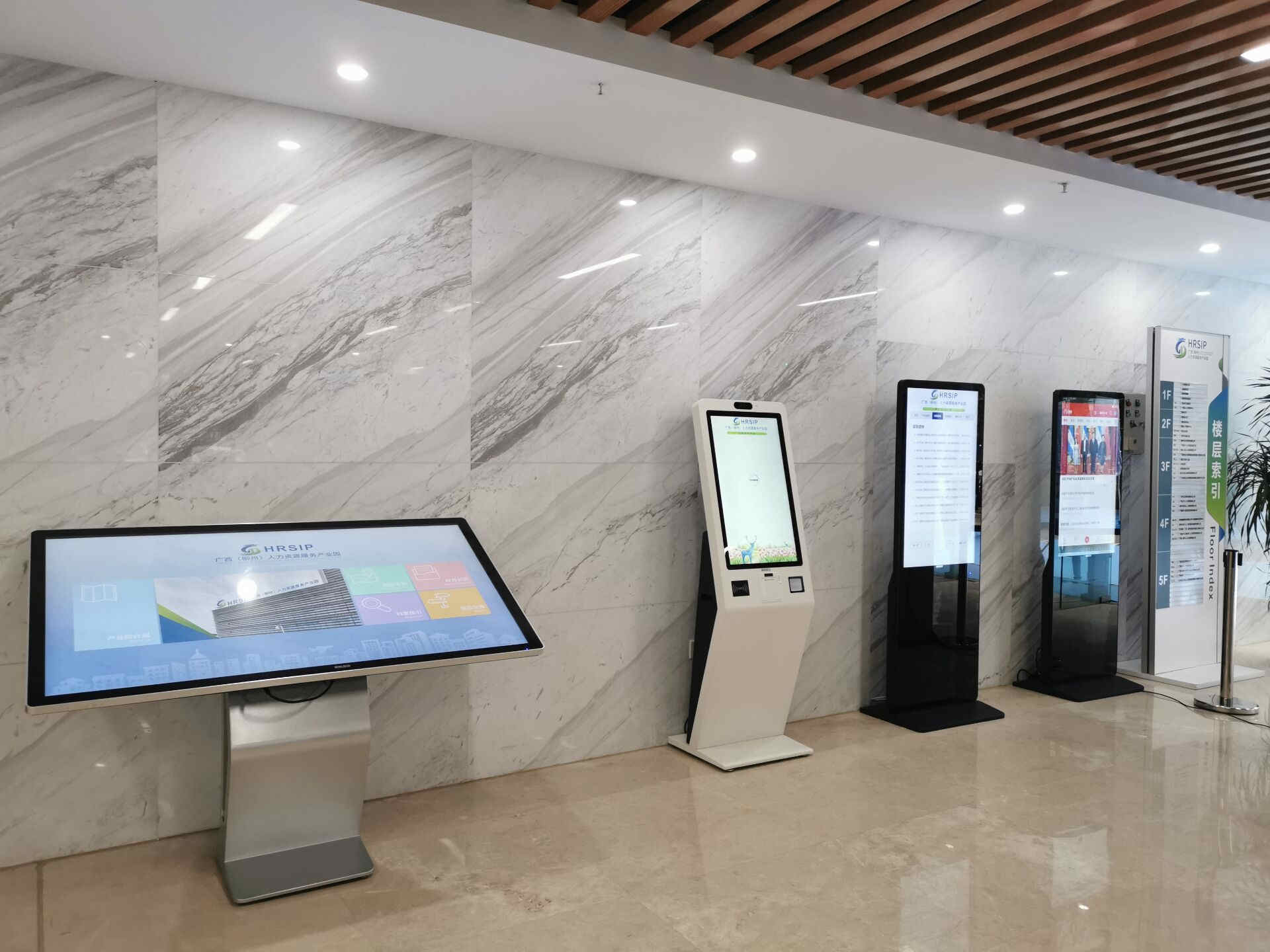
Centralized Large-Screen Management
Suitable for supermarkets, chain stores, and outdoor screens. Multiple devices can receive content centrally, reducing the need for manual one-by-one maintenance. 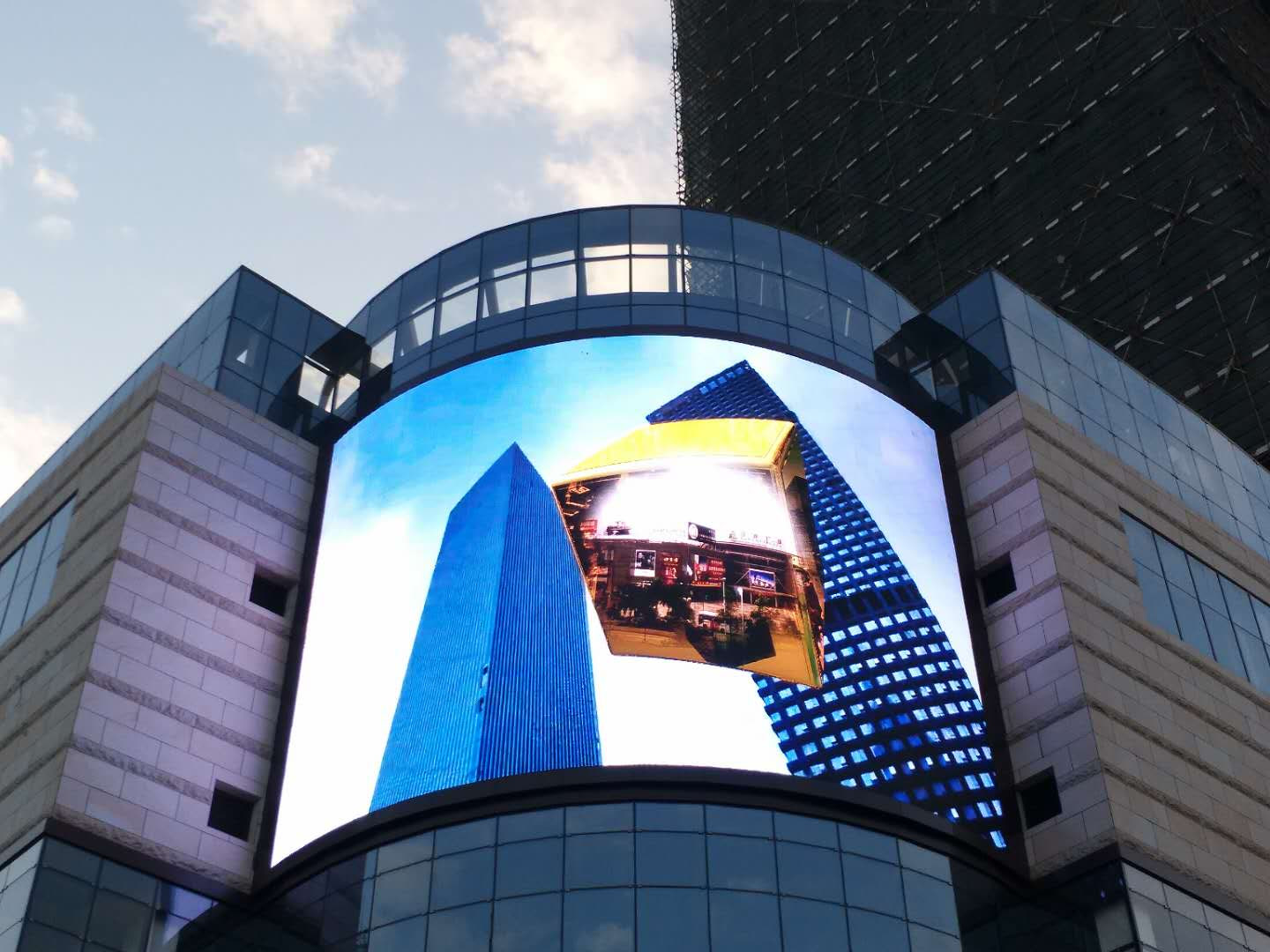
Campus, Community, and Institutional Communication
Suitable for schools, communities, hospitals, and enterprise or public-sector organizations. Schedules, announcements, promotional content, and notices can all be displayed continuously on large screens. 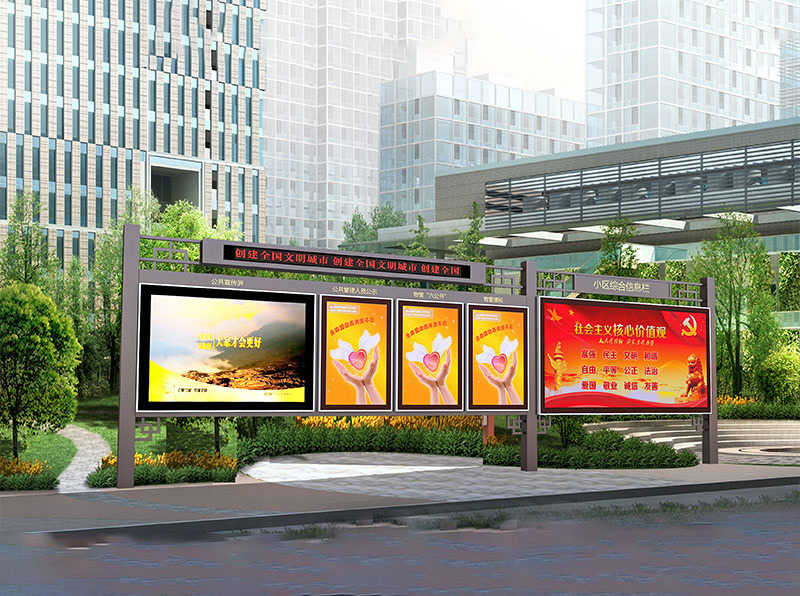
What to do next
If you already have a rough idea of your scenario, continue here:
- Not sure which method to choose: start with Casting Methods Overview
- Devices can access the Internet: go to Cloud Casting
- Devices cannot access the public Internet: go to Local Casting - LAN Direct or Local Casting - Private Deployment
- You only want simple local playback: go to USB Disk Play or Select Folder Play
- You want to understand trial use, cloud authorization, and local authorization: go to Device Authorization