
The Player app is installed on TVs, digital signage devices, set-top boxes, and other playback devices. Its job is to receive programs published from the Admin End and play them on the screen.
In most cases, once the Player app is installed and starts receiving programs normally, you do not need to operate it very often.
You usually only need to open the Player home screen or settings page in situations like these:
- You want to confirm whether the device is online and receiving programs normally
- You need to adjust screen orientation
- You want to configure auto-start, password protection, cache cleaning, or similar settings
- You want to unbind the device or troubleshoot playback issues
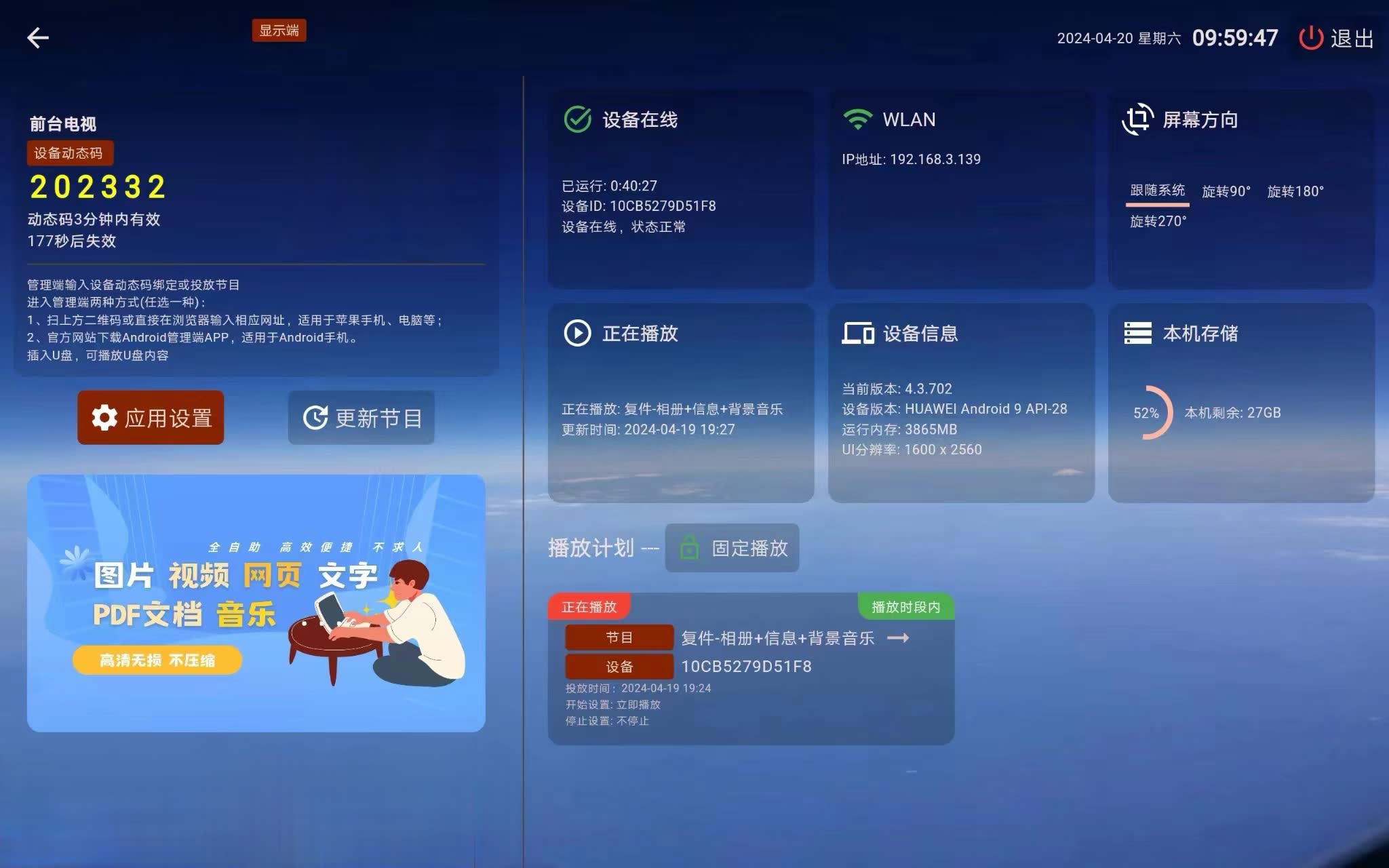
The Player home screen looks like this:
If this is your first time using the Player app, this is the recommended reading order:
- Want to know how to enter the settings page and what the common settings do: see Player Settings
- The screen direction is wrong, or the device is installed vertically: see Player Orientation
- Want multiple devices to play exactly the same program together: see Same-Screen
- Want multiple screens to form one combined large image: see Multi-Screen