
This page explains how to actually publish a finished program to one or more devices.
Before the First Publish, Decide Which Method to Use
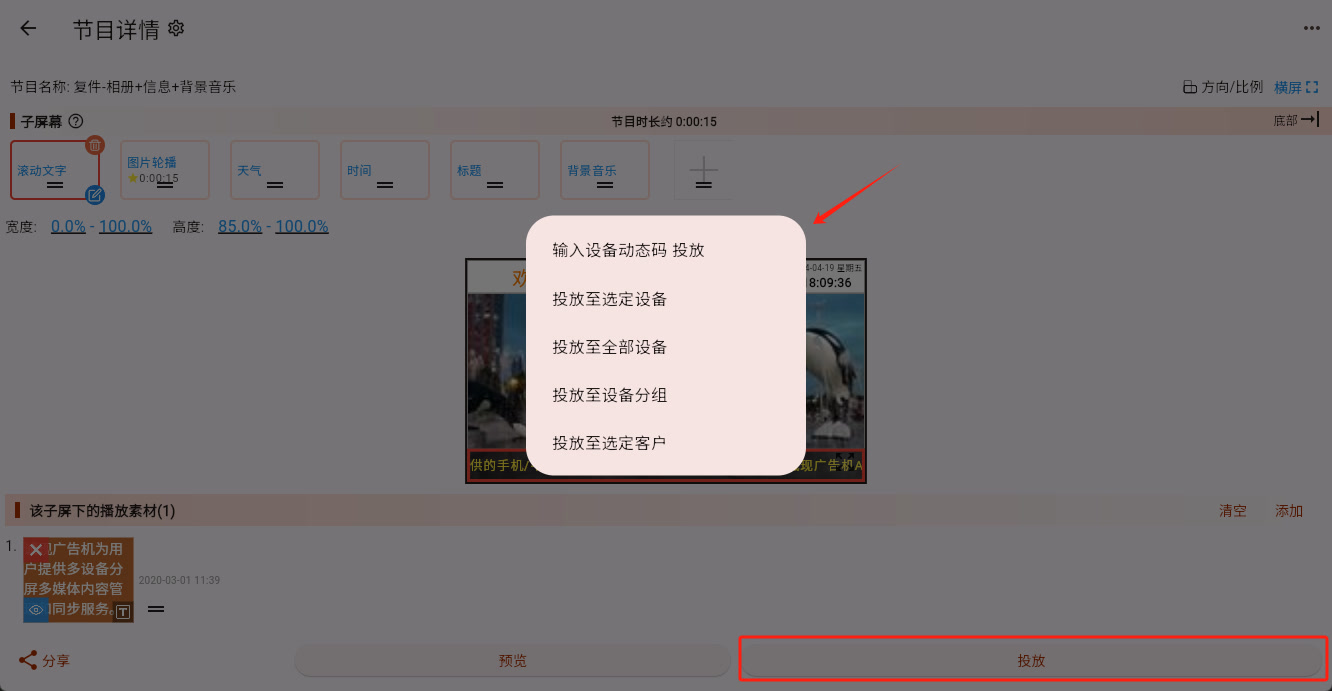
The system shows several publish methods, but beginners do not need to memorize all of them at once. Start with this:
- Cast by entering device dynamic code Best for the very first publish to a new device. The device is not yet bound to your account, so this step effectively means "bind first, then publish."
- Cast to Selected Device [Recommended] Best when the devices are already bound and you want to publish to one or several clearly chosen devices.
- Cast to Device Group [Recommended] Best when you already have many devices and have grouped them by store, orientation, area, or similar logic.
- Cast to All Devices Only suitable when every device under the account really should play the same program. Most normal users should avoid using this too often because the range is too large and it is easy to publish by mistake.
- Cast to Selected Customer Suitable in multi-customer or multi-department scenarios where publishing is done by customer or department.
Where to Start the Publish Operation
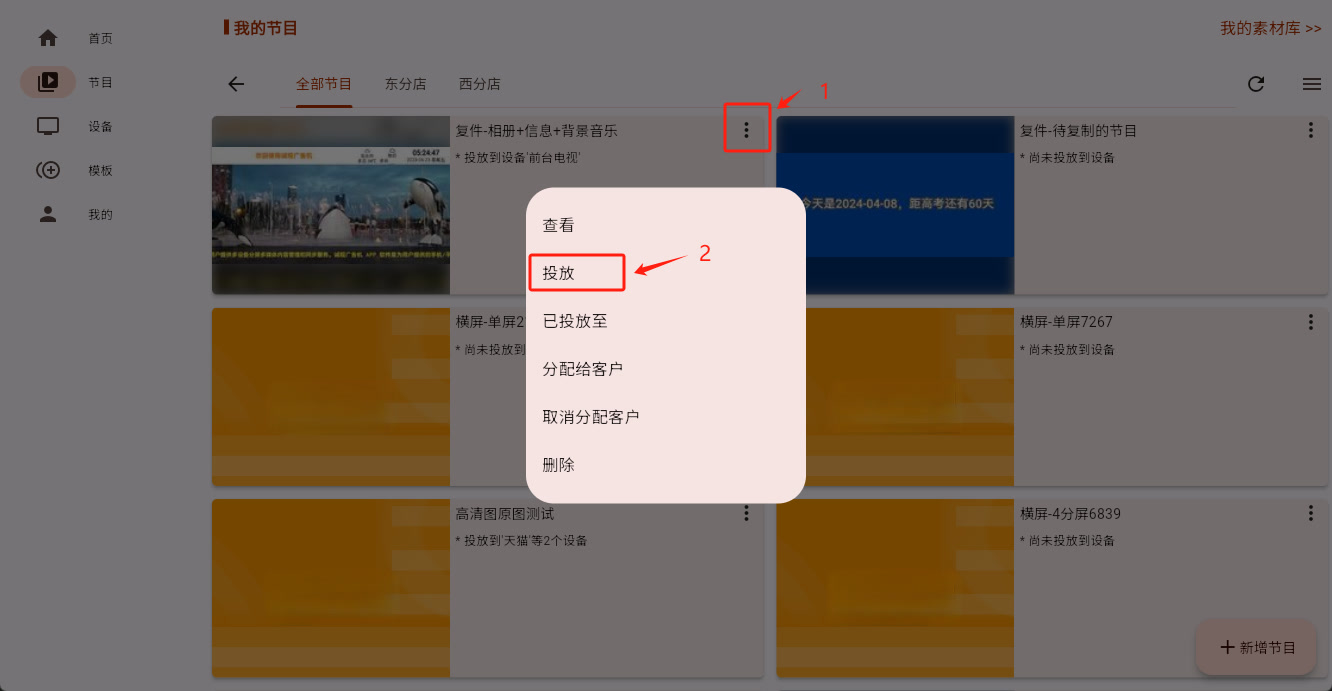
You can start publishing directly from the program main page:
You can also start it from the program editing page:
How to Understand the Three Most Common Publish Methods
1. Cast by Entering Device Dynamic Code
This is the most common method for the first publish to a new device.
Suitable when:
- The device is not yet bound
- The device has just been installed and is showing its dynamic code on screen
The core logic is:
Use the dynamic code to locate and bind the device first, then immediately publish the current program to it.
2. Cast to Selected Device
If the device is already bound to your current account, you can directly select one or more devices and publish to them.
Suitable when:
- The number of devices is not large
- You clearly know which specific devices should receive this publish
3. Cast to Device Group
If you already have many devices, this is usually the most recommended method.
For example:
- One group of horizontal TVs
- One group of vertical signage screens
- All devices in one store
By using device groups, you can publish by scenario more safely than "all devices" and more efficiently than selecting devices one by one.
The Default Path Most Beginners Should Remember
If this is your very first time, just remember this:
- First publish to a new device: choose "Cast by entering device dynamic code"
- Device already bound: prefer "Cast to Selected Device" or "Cast to Device Group"
That will already cover most real situations.